


- Posts: 5
- Thank you received: 0
3 Post Moderation Rule for New Boarders (25 Jan 2021)
New boarders will have their posts moderated - Don't worry if you cannot see your post immediately.
Export Final Cut Pro - "Master File" vs "Export File" - What's the difference?
18 Dec 2020 14:30 #111584
by creat0r
Export Final Cut Pro - "Master File" vs "Export File" - What's the difference? was created by creat0r
What's the difference between "Master File" and "Export File" when it comes to exporting from Final Cut Pro? Are there any technical differences? I found this article on Apple's website:
support.apple.com/sv-se/guide/final-cut-pro/ver0192a47b8/mac
However, it doesn't clarify the difference.
Any ideas?
Any ideas?
Please Log in to join the conversation.


18 Dec 2020 15:21 #111588
by JoeEditor
Replied by JoeEditor on topic Export Final Cut Pro - "Master File" vs "Export File" - What's the difference?
"Master File" is a name given to a Destination preset. "Export File" is that action you take to create a new file exported from your NLE. Is there an English version of that page? There is no technical difference really, just talking about exporting files, that's about it.
Please Log in to join the conversation.
18 Dec 2020 18:40 #111595
by creat0r
Replied by creat0r on topic Export Final Cut Pro - "Master File" vs "Export File" - What's the difference?
Hello,
I was referring to the difference between these two option from the share-menu of FCP: m.imgur.com/a/GanWQn3
Please have a look at the screenshot.
I’m wondering when to use which one?
I was referring to the difference between these two option from the share-menu of FCP: m.imgur.com/a/GanWQn3
Please have a look at the screenshot.
I’m wondering when to use which one?
Please Log in to join the conversation.
18 Dec 2020 18:41 #111596
by creat0r
Replied by creat0r on topic Export Final Cut Pro - "Master File" vs "Export File" - What's the difference?
What’s the difference between these two options?: m.imgur.com/a/GanWQn3 Also, when should I use which one?Ben Balser wrote: "Master File" is a name given to a Destination preset. "Export File" is that action you take to create a new file exported from your NLE. Is there an English version of that page? There is no technical difference really, just talking about exporting files, that's about it.
Please Log in to join the conversation.
18 Dec 2020 20:29 #111597
by JoeEditor
Replied by JoeEditor on topic Export Final Cut Pro - "Master File" vs "Export File" - What's the difference?
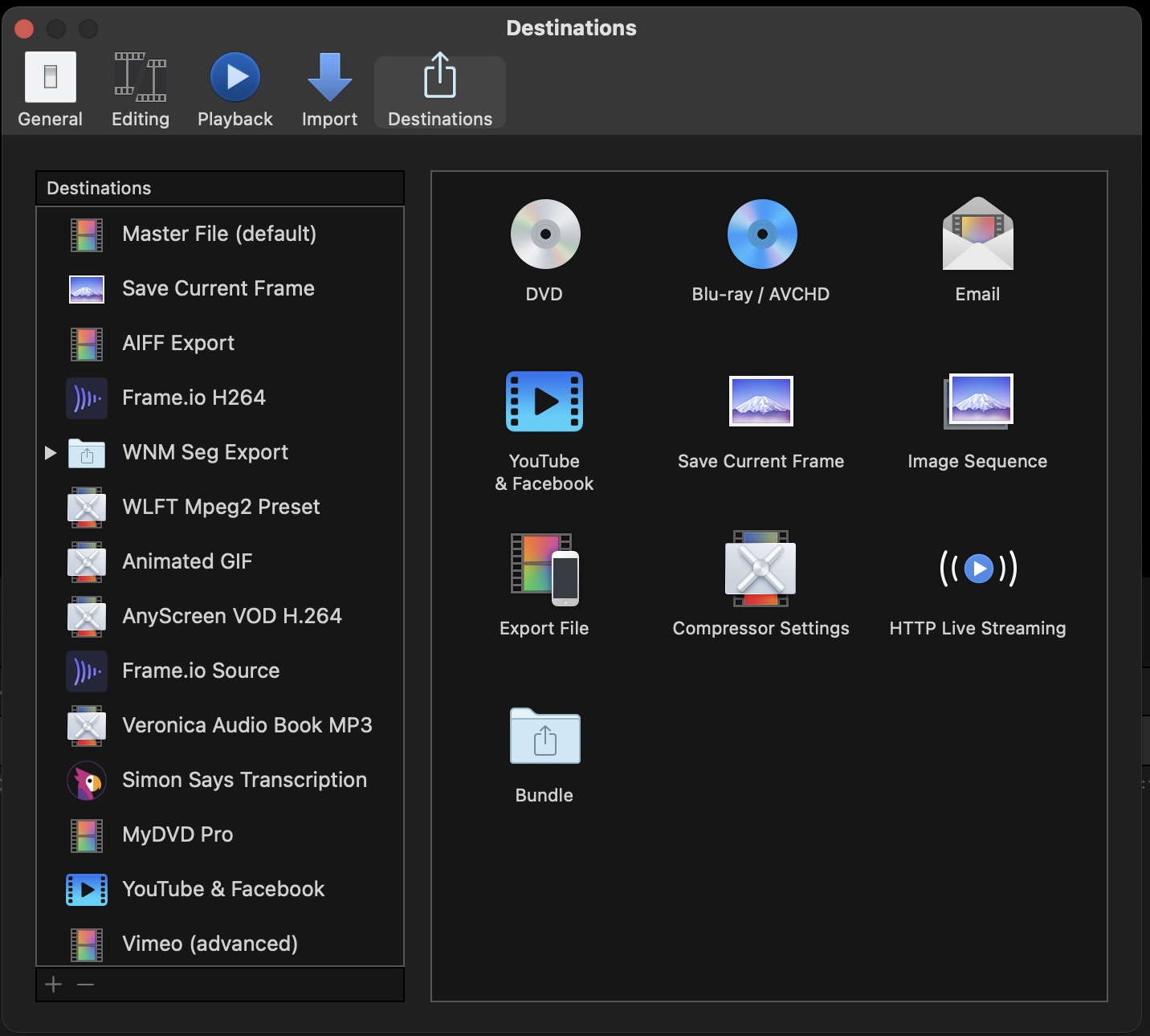
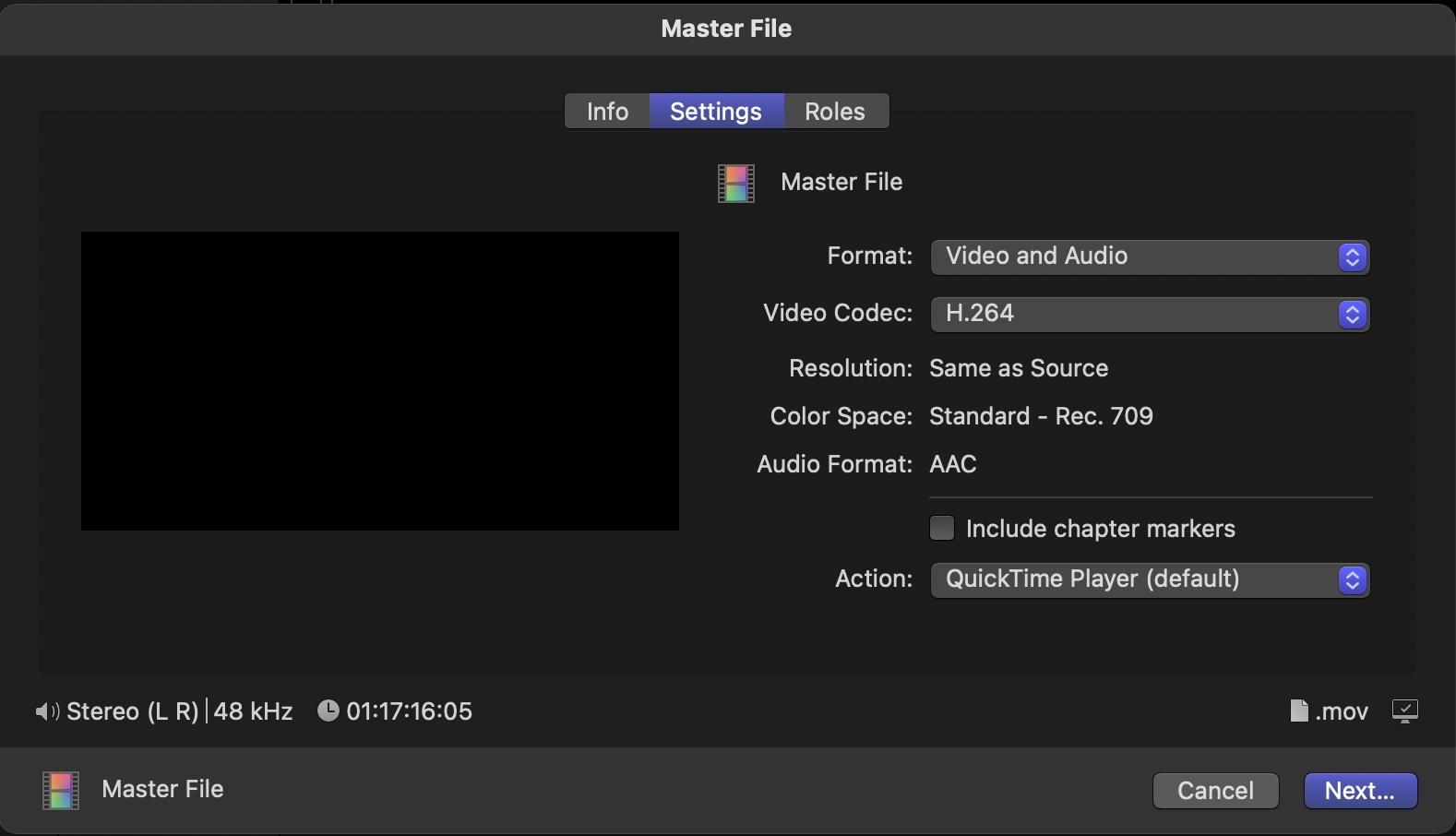
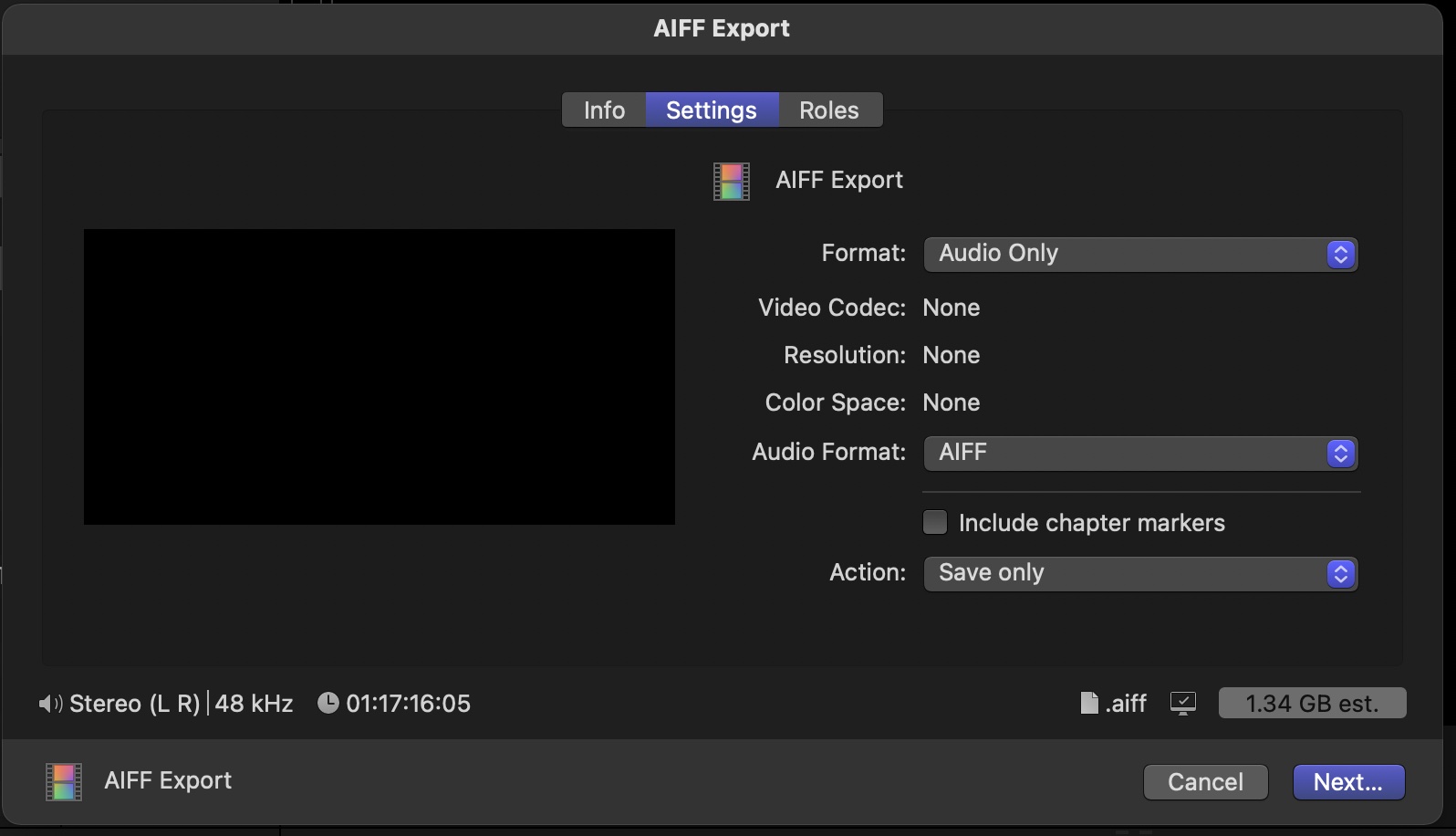
The name assigned to the Destination preset. You can name them anything you want. Master File comes already loaded into the Share menu. Export File is the same thing, but the template you use to customize your own.But they are both the same thing, offering the same options. Just depends on how you want to set the default of those options. In this screenshot, you'll see it in the Preferences as a generic preset you can customize. My "AIFF Export" is that "Export File" renamed, and set to export only the audio as an AIFF file. I've also included screenshots of the default settings for each. They're just presets you can customize as you want.
Please Log in to join the conversation.
19 Dec 2020 18:20 #111618
by creat0r
So, if I understand you correctly, "Master File" is just an unchanged "Export File" preset that Apple has renamed to "Master File" and put under the share menu of FCP by default. Correct?
Replied by creat0r on topic Export Final Cut Pro - "Master File" vs "Export File" - What's the difference?
Ben Balser wrote: The name assigned to the Destination preset. You can name them anything you want. Master File comes already loaded into the Share menu. Export File is the same thing, but the template you use to customize your own.But they are both the same thing, offering the same options. Just depends on how you want to set the default of those options. In this screenshot, you'll see it in the Preferences as a generic preset you can customize. My "AIFF Export" is that "Export File" renamed, and set to export only the audio as an AIFF file. I've also included screenshots of the default settings for each. They're just presets you can customize as you want.
So, if I understand you correctly, "Master File" is just an unchanged "Export File" preset that Apple has renamed to "Master File" and put under the share menu of FCP by default. Correct?
Please Log in to join the conversation.
19 Dec 2020 20:43 #111619
by JoeEditor
Replied by JoeEditor on topic Export Final Cut Pro - "Master File" vs "Export File" - What's the difference?
"Master File" is an "Export File" that is unchanged that Apple set up for FCP's initial installation. You can customize that Share menu, you can customize all of that stuff, default settings, names, etc. And with either Master File or Export File, when you go to export, in the Settings section you can still change the presets settings on the fly.
support.apple.com/guide/final-cut-pro/cr...ons-ver9fd008a21/mac
support.apple.com/guide/final-cut-pro/cr...ons-ver9fd008a21/mac
Please Log in to join the conversation.
