


- Posts: 15
- Thank you received: 0
3 Post Moderation Rule for New Boarders (25 Jan 2021)
New boarders will have their posts moderated - Don't worry if you cannot see your post immediately.
Run Final Cut Studio 3 on MacOS 10.14 Mojave >
- johnoshea02
-
 Topic Author
- Offline
- New Member
-

Less
More
26 Apr 2019 13:22 #99803
by johnoshea02
Run Final Cut Studio 3 on MacOS 10.14 Mojave > was created by johnoshea02
How would i be able to install and run Final Cut Studio 3 on MacOS 10.12 Sierra & MacOS 10.13 High Sierra and MacOS 10.14 Mojave going forward even though this software is no longer supported by Apple? It has been since been replaced by Final Cut Pro X, Motion 5, Compressor in July 2011.
What is the procedures i have to follow so i can run this Final Cut Studio version 3 (System Preferences etc)?
(Final Cut Pro 7 – "real-time editing for DV, SD and HD”) (Motion 4 - "real-time motion graphics design”) (Soundtrack Pro 3 - "advanced audio editing and sound design”) (DVD Studio Pro 4 - encoding, authoring and burning.) (Color 1.5 - a new color grading application adapted from Silicon Color's FinalTouch.) (Compressor 3.5 - a video encoding tool for outputting projects in different formats.) (Cinema Tools 4.5 - tools specific to film processing.) (Qmaster 3 - a distributed processing tool.)
I intend to do my projects using Mac Pro (Late 2013) With the following configuration:
Model number A1481
Model identifier MacPro6,1
Processor 3 GHz 8-Core Intel Xeon E5
Memory 64 GB 1866 MHz DDR3 ECC
Graphics AMD FirePro D700 6144 MB
Connectivity - AirPort Extreme 802.11a/b/g/n/ac (up to 1.3 Gbit/s), 2× Gigabit Ethernet, Bluetooth 4.0
Peripherals - 4 x USB 3.0, Built-in mono speaker, 6 x Thunderbolt 2, Audio output/optical digital audio output, Headphone mini-jack
Video out - HDMI 1.4 and Thunderbolt 2
I want to use Ultrastudio 3D for capture and playback feature film quality SDI, HDMI and analog video via Thunderbolt, and use a Lacie Little Big Disk 1TB SSD as a scratch disk, and Apple Thunderbolt Display (2560 x 1440) as a monitor, and Edirol MA-15D Digital Stereo Micro Monitor as well as Fostex PMO.5 - Sub MKII for sound audio.
I await advice before i proceed any further
Kind Regards
What is the procedures i have to follow so i can run this Final Cut Studio version 3 (System Preferences etc)?
(Final Cut Pro 7 – "real-time editing for DV, SD and HD”) (Motion 4 - "real-time motion graphics design”) (Soundtrack Pro 3 - "advanced audio editing and sound design”) (DVD Studio Pro 4 - encoding, authoring and burning.) (Color 1.5 - a new color grading application adapted from Silicon Color's FinalTouch.) (Compressor 3.5 - a video encoding tool for outputting projects in different formats.) (Cinema Tools 4.5 - tools specific to film processing.) (Qmaster 3 - a distributed processing tool.)
I intend to do my projects using Mac Pro (Late 2013) With the following configuration:
Model number A1481
Model identifier MacPro6,1
Processor 3 GHz 8-Core Intel Xeon E5
Memory 64 GB 1866 MHz DDR3 ECC
Graphics AMD FirePro D700 6144 MB
Connectivity - AirPort Extreme 802.11a/b/g/n/ac (up to 1.3 Gbit/s), 2× Gigabit Ethernet, Bluetooth 4.0
Peripherals - 4 x USB 3.0, Built-in mono speaker, 6 x Thunderbolt 2, Audio output/optical digital audio output, Headphone mini-jack
Video out - HDMI 1.4 and Thunderbolt 2
I want to use Ultrastudio 3D for capture and playback feature film quality SDI, HDMI and analog video via Thunderbolt, and use a Lacie Little Big Disk 1TB SSD as a scratch disk, and Apple Thunderbolt Display (2560 x 1440) as a monitor, and Edirol MA-15D Digital Stereo Micro Monitor as well as Fostex PMO.5 - Sub MKII for sound audio.
I await advice before i proceed any further
Kind Regards
Please Log in to join the conversation.
- JarrodMFay
-
- Offline
- Elite Member
-

Less
More
- Posts: 172
- Thank you received: 34
26 Apr 2019 13:53 #99804
by JarrodMFay
Replied by JarrodMFay on topic Run Final Cut Studio 3 on MacOS 10.14 Mojave >
Please Log in to join the conversation.

26 Apr 2019 14:15 #99806
by Francois
Replied by Francois on topic Run Final Cut Studio 3 on MacOS 10.14 Mojave >
The best chance would be to set up a good installation of an older OS that your computer can boot on and that FCP studio can fully run on ,ether on a partition or on an external drive, then once that is smooth running do your installation on that drive .
You will have to reboot every time you need FCP studio.
You will have to reboot every time you need FCP studio.
Please Log in to join the conversation.
- Tom Wolsky
-

- Offline
- Moderator
-

26 Apr 2019 14:24 #99807
by Tom Wolsky
Replied by Tom Wolsky on topic Run Final Cut Studio 3 on MacOS 10.14 Mojave >
10.12 Sierra is the last OS that will run Final Cut Studio. No computers after late 2017 will run it.
Please Log in to join the conversation.
- darionmcdermott71
-
- Offline
- New Member
-
Less
More
- Posts: 1
- Thank you received: 1
27 Nov 2019 02:44 #102865
by darionmcdermott71
Replied by darionmcdermott71 on topic Run Final Cut Studio 3 on MacOS 10.14 Mojave >
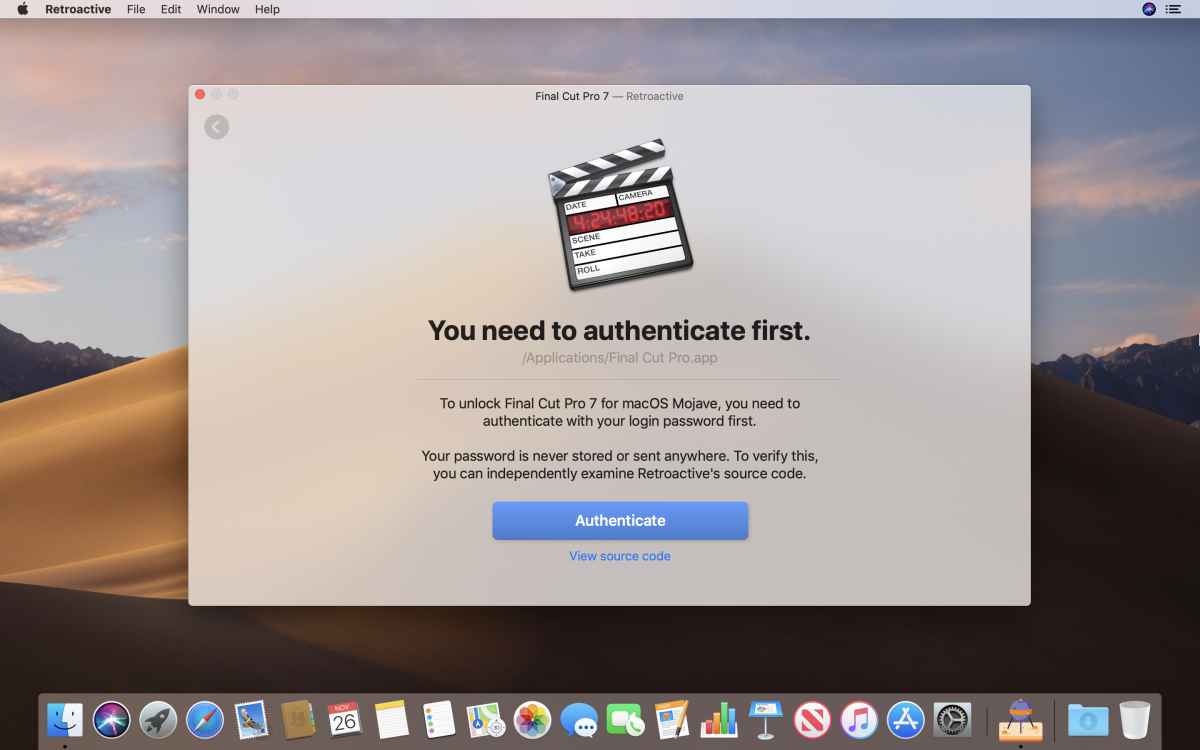
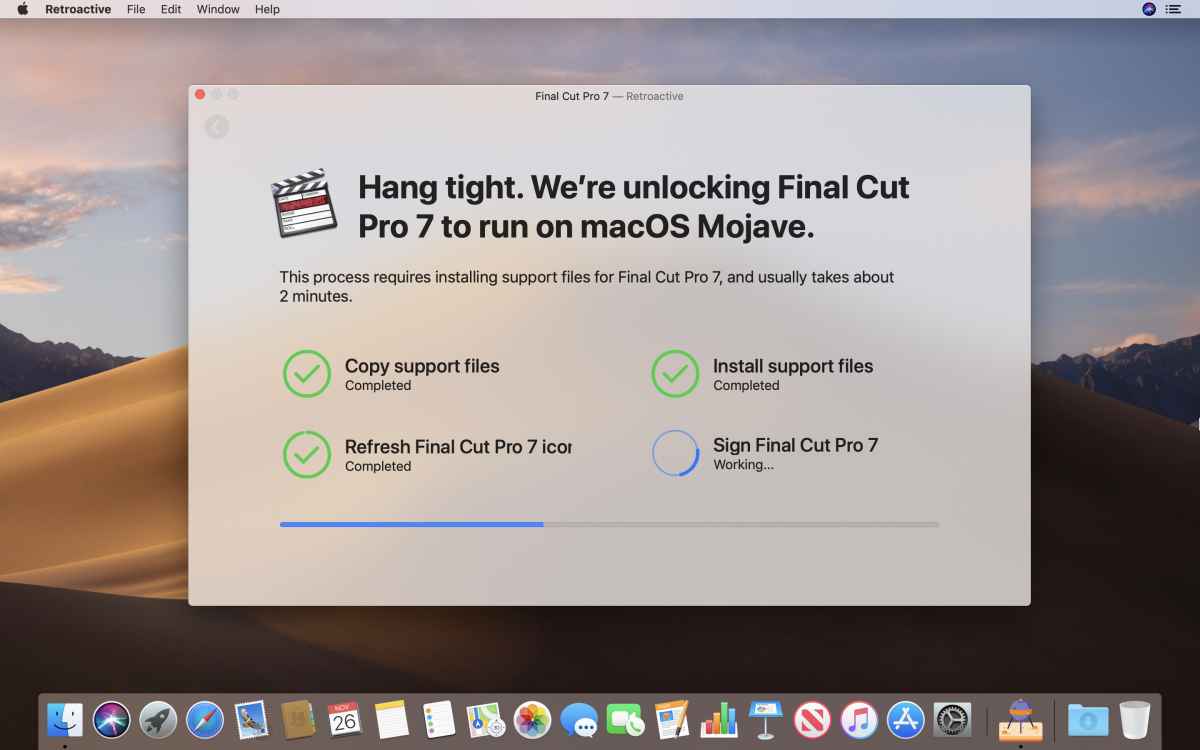
The Retroactive app
lets you run Final Cut Pro 7 on macOS Mojave (10.14.6) and macOS High Sierra (10.13.6).
You can download it here
.



Please Log in to join the conversation.
08 May 2020 02:17 #106989
by Duetto
Replied by Duetto on topic Run Final Cut Studio 3 on MacOS 10.14 Mojave >
I appreciate your advice in regards to RetroActive. I did manage to make FCP7 work, but for some reason all about 200 codecs that I had installed, are gone now. What I mostly need is mxf and ProRes - any chance you could let me know how to get all of those back? When I startup FCP7 now, it just would let me choose any of these old DVCam and other tape formats. I really tried everything for days, even wanted to go back MacOS 10.11. MANY THANKS in advance!
Please Log in to join the conversation.
09 May 2020 13:04 - 11 May 2020 09:44 #107029
by Annettes
Replied by Annettes on topic Run Final Cut Studio 3 on MacOS 10.14 Mojave >
Apple has revealed that its aging-but-beloved video editing program, Final Cut Pro 7, will not be supported by macOS High Sierra. If they update Apple's upcoming operating system
Prepaid Gift Balance
Last edit: 11 May 2020 09:44 by Annettes.
Please Log in to join the conversation.


