




- Posts: 8
- Thank you received: 1
3 Post Moderation Rule for New Boarders (25 Jan 2021)
New boarders will have their posts moderated - Don't worry if you cannot see your post immediately.
Audio slightly out of sync on export with M1 mac and Big Sur
23 Mar 2021 22:55 - 25 Mar 2021 15:50 #113608
by David814
I noticed that my new M1 macbook pro, any video I export with Final Cut Pro has the audio about 2 frames slightly earlier.
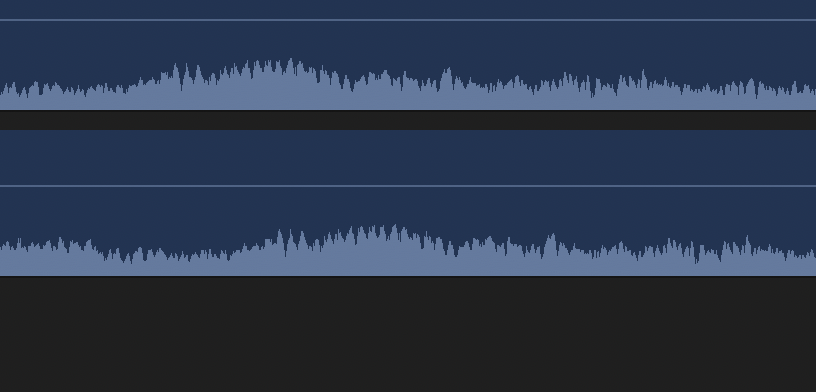
I can see that if I import a video that was already exported, the audio waveform doesn't match.
This isn't the case for my old 2010 Macbook with High Sierra.
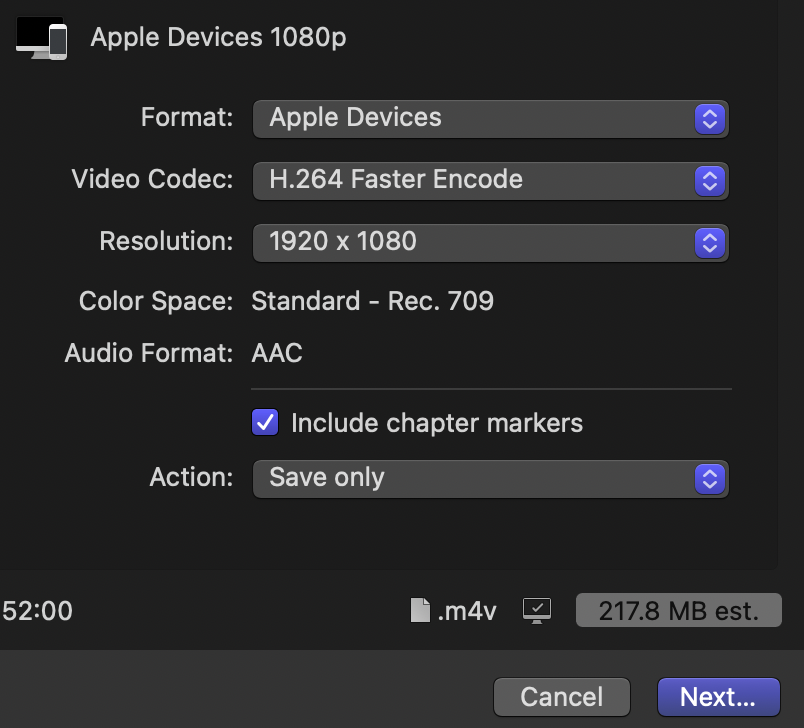
I usually do File -> Share -> Audio Devices 1080p -> Format Devices: Apple Devices. Video Format: H.264 Faster Encode
The sync is fine if I use Apple ProRes 422 but that makes 4 GB files from a few minute video, and I never had to use anything other than H.264 in the past.
Anyone know why this is and what can I do?
Final Cut Pro version is 10.5.2. Tried other versions too.
I can see that if I import a video that was already exported, the audio waveform doesn't match.
This isn't the case for my old 2010 Macbook with High Sierra.
I usually do File -> Share -> Audio Devices 1080p -> Format Devices: Apple Devices. Video Format: H.264 Faster Encode
The sync is fine if I use Apple ProRes 422 but that makes 4 GB files from a few minute video, and I never had to use anything other than H.264 in the past.
Anyone know why this is and what can I do?
Final Cut Pro version is 10.5.2. Tried other versions too.
Last edit: 25 Mar 2021 15:50 by David814.
Please Log in to join the conversation.
25 Mar 2021 15:51 #113667
by David814
Replied by David814 on topic Audio slightly out of sync on export with M1 mac and Big Sur
I'm looking around and I see others have the same issue with M1/Big Sur of audio shifting 2 frames earlier
www.fcp.co/forum/4-final-cut-pro-x-fcpx/...nsync-when-exporting
Could this just be a bug with Final Cut Pro in M1/Big Sur? Anyone use M1/Big Sur and have audio shifting not happen when doing H.264 export?
I wonder if Compressor would help. But it's $50 and I don't see a trial for it. $50 just hoping it might work.
www.fcp.co/forum/4-final-cut-pro-x-fcpx/...nsync-when-exporting
Could this just be a bug with Final Cut Pro in M1/Big Sur? Anyone use M1/Big Sur and have audio shifting not happen when doing H.264 export?
I wonder if Compressor would help. But it's $50 and I don't see a trial for it. $50 just hoping it might work.
Please Log in to join the conversation.
- Tom Wolsky
-

- Offline
- Moderator
-

25 Mar 2021 16:46 - 25 Mar 2021 16:46 #113669
by Tom Wolsky
Replied by Tom Wolsky on topic Audio slightly out of sync on export with M1 mac and Big Sur
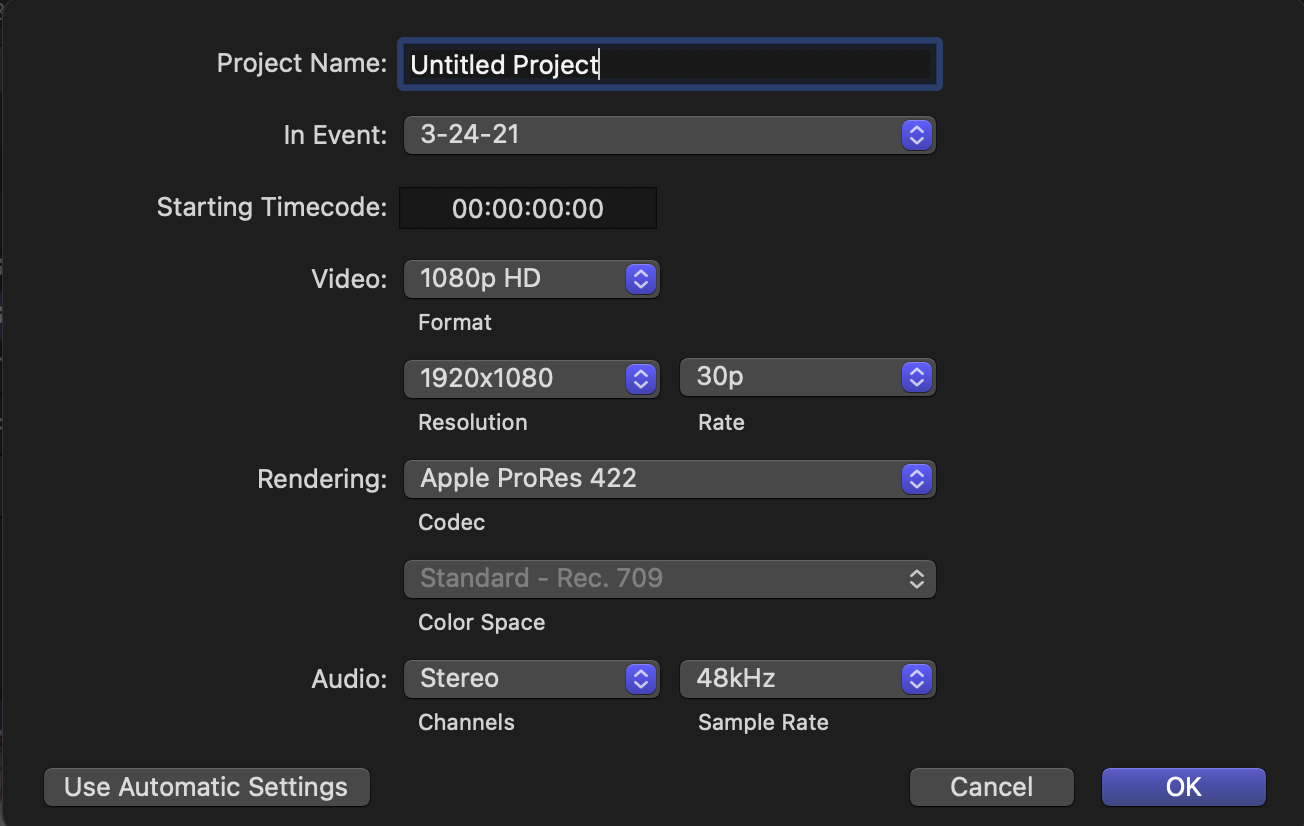
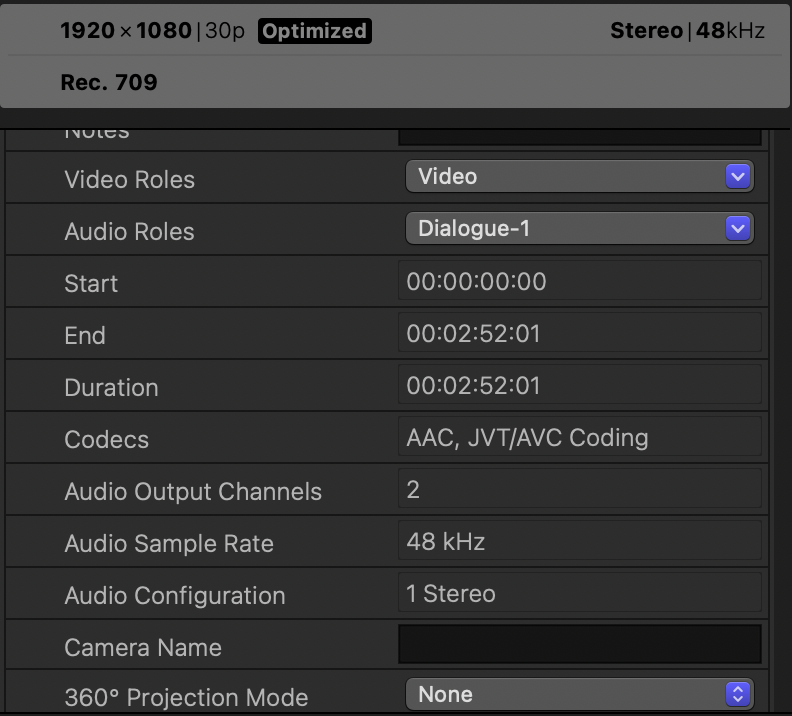
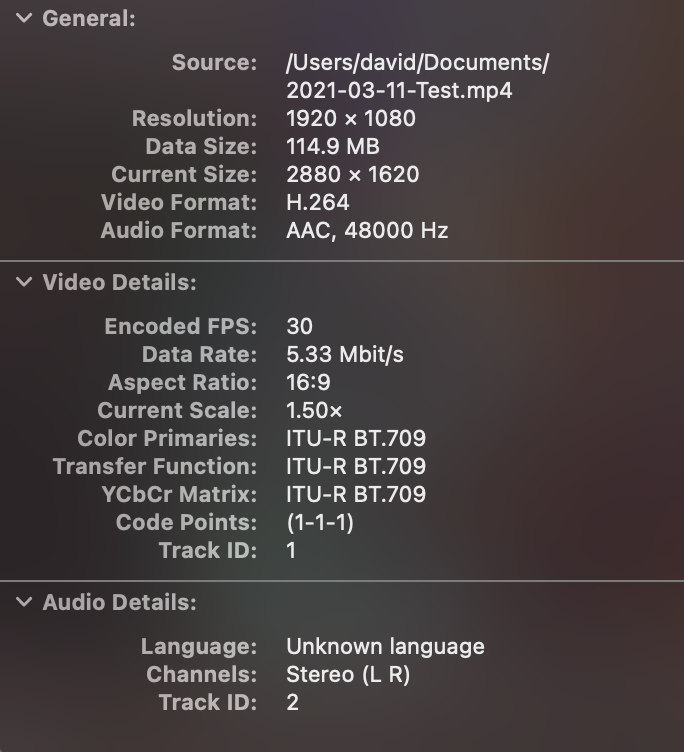
Can you please give the specifications of your media and your project properties?
There is no trial for Compressor.
There is no trial for Compressor.
Last edit: 25 Mar 2021 16:46 by Tom Wolsky.
Please Log in to join the conversation.
- Tom Wolsky
-
- Offline
- Moderator
-
25 Mar 2021 16:48 #113670
by Tom Wolsky
Replied by Tom Wolsky on topic Audio slightly out of sync on export with M1 mac and Big Sur
The linked thread does not involve an M1 computer. The OP upgraded to Big Sur. All M1 machines came with Big Sur installed.
Please Log in to join the conversation.
26 Mar 2021 06:59 #113676
by David814
Replied by David814 on topic Audio slightly out of sync on export with M1 mac and Big Sur
I was trying this but it happens with any video I try. The audio will come out 2 frames earlier. That doesn't happen with my old macbook and High Sierra with the same files.
Perhaps it could be a Big Sur issue rather than M1 if OP is having the same problem after upgrading to Big Sur?
Thanks
Perhaps it could be a Big Sur issue rather than M1 if OP is having the same problem after upgrading to Big Sur?
Thanks
Please Log in to join the conversation.
31 Mar 2021 04:56 #113773
by David814
Replied by David814 on topic Audio slightly out of sync on export with M1 mac and Big Sur
Update: I bought Compressor just so I could see if it would help and what's happening.
The issue seems to be with exporting the AAC codec. If I change the audio codec from AAC to linear PCM, then it stays synced and the audio does not shift earlier by 2 frames. Even though the source is AAC.
Does that make sense to anyone? Exporting using AAC as the audio codec causes it to be out of sync a little. (Even though the source file is AAC)
The issue seems to be with exporting the AAC codec. If I change the audio codec from AAC to linear PCM, then it stays synced and the audio does not shift earlier by 2 frames. Even though the source is AAC.
Does that make sense to anyone? Exporting using AAC as the audio codec causes it to be out of sync a little. (Even though the source file is AAC)
Please Log in to join the conversation.
